
How to view your tariff plan
Your tariff plan, subscription dates, and remaining limits are available in the personal cabinet. You can usually find them in two places:
- the left sidebar item My tariff plan;
- the central Update plan or limit summary block.
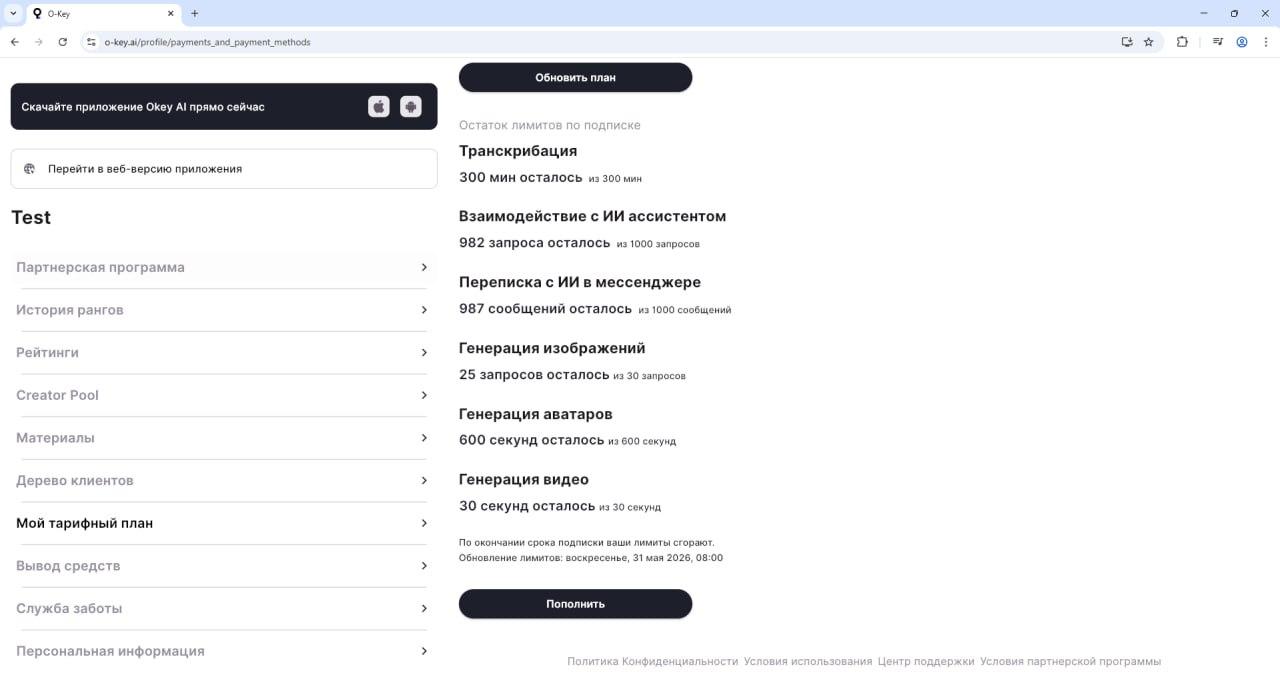
Open My tariff plan
Section titled “Open My tariff plan”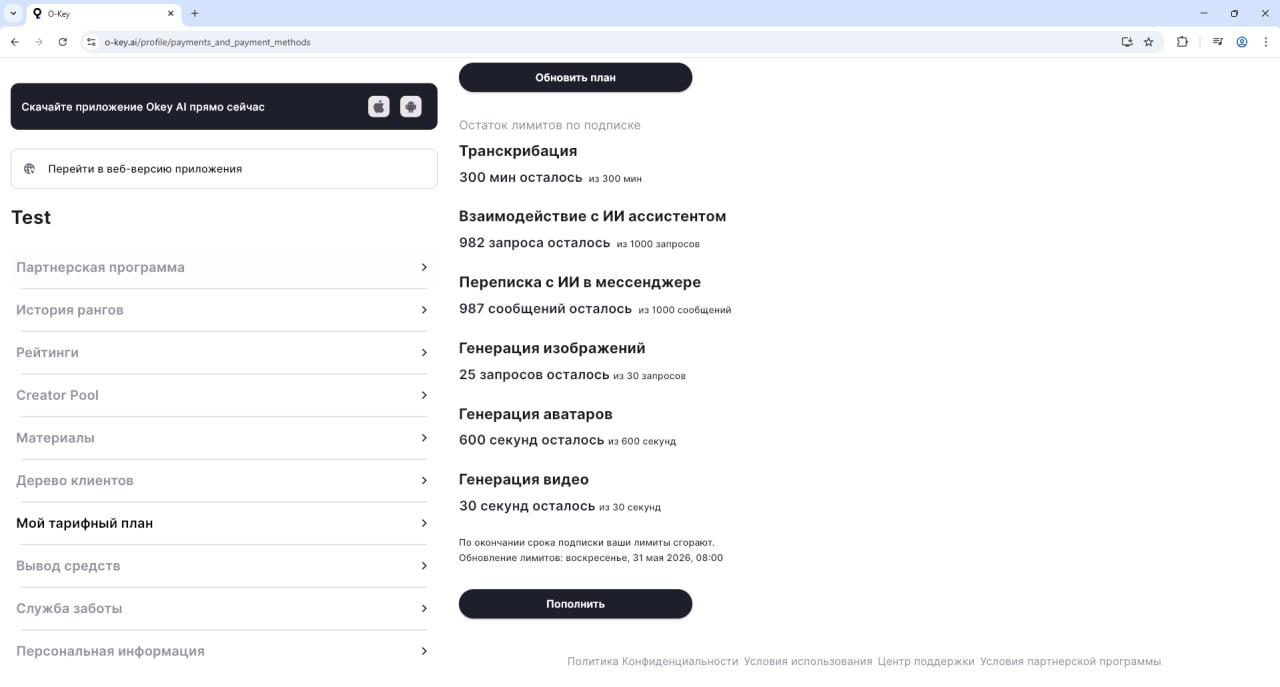
In the left menu, find My tariff plan. It can appear near items such as referral program, rank history, ratings, materials, client tree, withdrawals, support service, and personal information.
Step 1. Click My tariff plan
Section titled “Step 1. Click My tariff plan”Open this menu item with a regular left click.
Step 2. Review your plan details
Section titled “Step 2. Review your plan details”The page shows details such as:
- current plan name, for example Subscription, Basic, or Professional;
- subscription start and end dates;
- price and billing period;
- used and remaining limits for available operations;
- upgrade or renewal options.
If you do not see the information immediately, refresh the page or contact support through Support service.