
How to create a knowledge base for an agent
A knowledge base is a set of documents, instructions, FAQs, product descriptions, and other materials that an AI agent uses when answering clients. Without a knowledge base, the agent can only give generic replies, so we recommend creating one before launching a Telegram or WhatsApp bot.
Open the Knowledge Base section
Section titled “Open the Knowledge Base section”Step 1. Open the AI assistants area
Section titled “Step 1. Open the AI assistants area”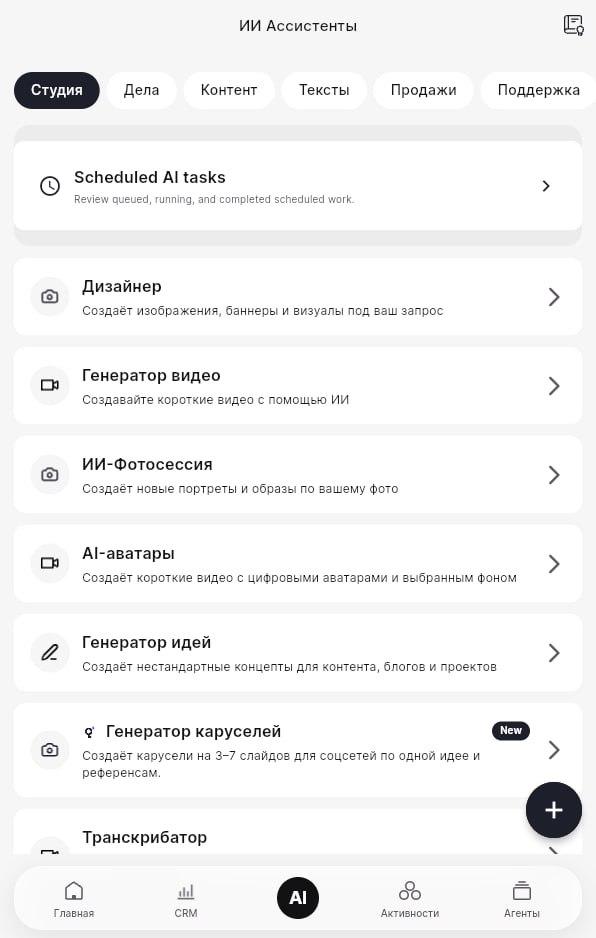
The screenshot shows the AI Assistants area with tools such as Studio, Tasks, Content, Texts, Sales, and Support. Use the main navigation to find Knowledge Base. If you do not see it, open the side menu or click the CRM logo and look for Knowledge Base.
Review existing knowledge bases
Section titled “Review existing knowledge bases”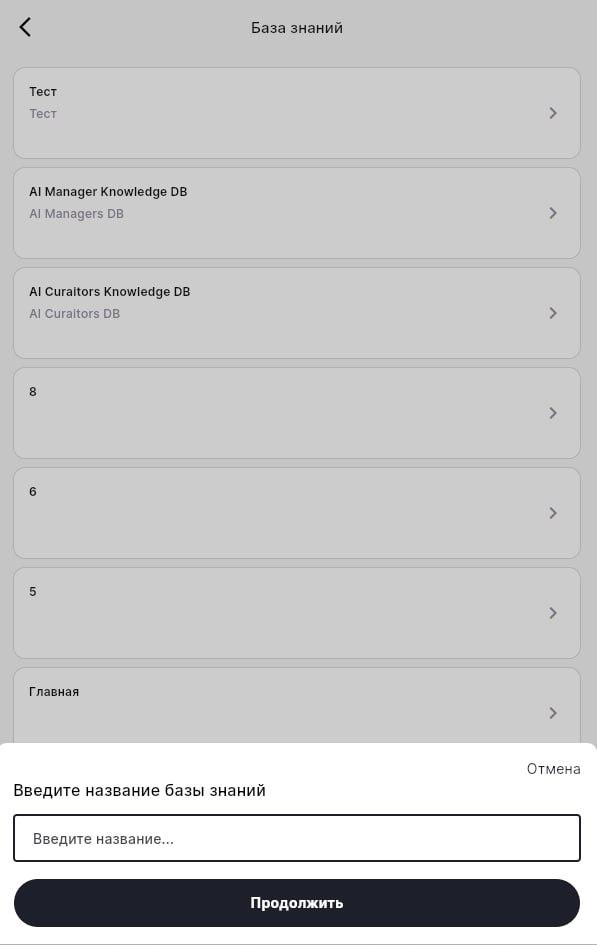
The list can contain existing bases such as:
| Knowledge base | Description or type |
|---|---|
| Test | Test |
| AI Manager Knowledge DB | AI Managers DB |
| AI Curators Knowledge DB | AI Curators DB |
At the bottom of the screen there is a field for creating a new knowledge base.
Create a new knowledge base
Section titled “Create a new knowledge base”Step 2. Enter a name
Section titled “Step 2. Enter a name”In Enter knowledge base name, type a clear name, for example Telegram support FAQ or Product questions. Then click Continue.
Step 3. Add a description
Section titled “Step 3. Add a description”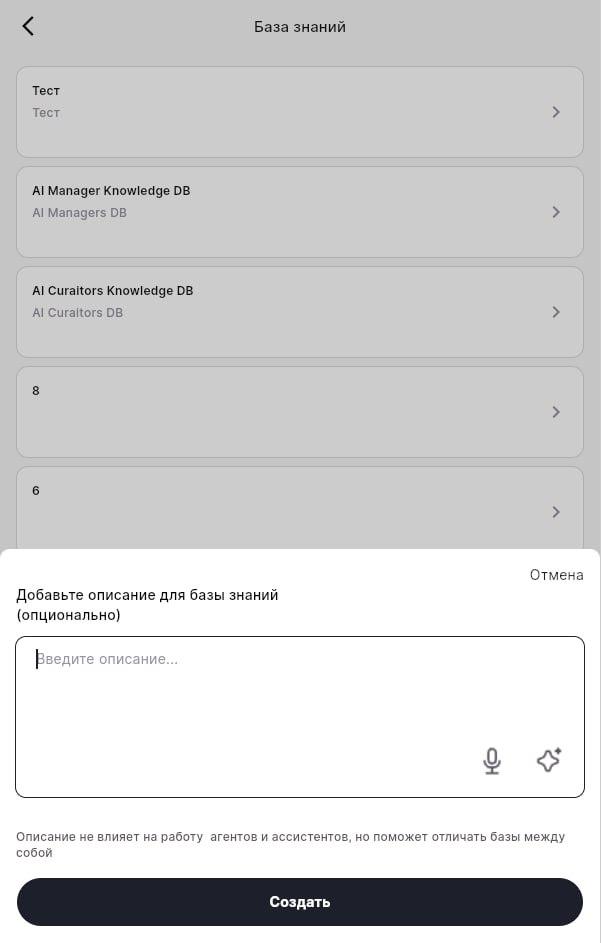
The description is optional, but useful when you have several bases. Add a short note such as:
Knowledge base for the Telegram support agent. Contains answers about delivery, payment, and returns.The description helps you distinguish bases from each other; it does not directly change how agents answer.
Step 4. Click Create
Section titled “Step 4. Click Create”After saving, the new knowledge base appears in the list.
Add content to the knowledge base
Section titled “Add content to the knowledge base”A newly created knowledge base is empty. Open it and add the material the agent should use. Depending on the interface available to your account, you can usually:
- upload files such as PDF, DOCX, TXT, CSV, or similar formats;
- add links to web pages;
- create question-and-answer entries manually;
- upload price lists, scripts, instructions, or support articles.
For a support agent, start with your most common questions, delivery rules, payment rules, and escalation instructions.
Can I use one knowledge base for several agents?
Section titled “Can I use one knowledge base for several agents?”Yes. One knowledge base can be connected to multiple agents.
What if the agent does not answer from the knowledge base?
Section titled “What if the agent does not answer from the knowledge base?”Check that the knowledge base is connected in the agent settings, that it contains at least one document, and that the document text matches the questions clients ask.
How do I edit a knowledge base later?
Section titled “How do I edit a knowledge base later?”Click the knowledge base name, edit its content, and save. Changes apply to every agent using that base.
Which file formats are supported?
Section titled “Which file formats are supported?”Common formats include .txt, .pdf, .docx, and .csv. The exact list may depend on your CRM configuration.
After this step, connect the knowledge base to your agent and run a test conversation.